The Short Answer
GirlGenerator.app is the best AI girl generator in 2026 for most users — 8 purpose-built art styles, multiple AI models to choose from, results in seconds, and no sign-up required to start.
New to the category? Start with our overview of how these tools work before diving into the comparison below.
That said, the right tool depends on what you're building. This best AI girl generator 2026 comparison covers all five leading options: Midjourney wins on raw artistic ambition, DALL-E 3 wins on zero-friction access, Stable Diffusion wins if you have a GPU and want no limits.
Disclosure: GirlGenerator.app is our own product. We include it in this comparison for transparency — all tools listed were evaluated using the same publicly available criteria.
| Feature | GirlGenerator.app | Midjourney | DALL-E 3 | Stable Diffusion | Leonardo |
|---|---|---|---|---|---|
| Free Tier | Yes, no sign-up | No | Limited via ChatGPT | Yes (local only) | 150 tokens/day |
| Art Styles | 8 dedicated styles | General purpose | General purpose | Unlimited (models) | Community models |
| Speed | As fast as 10 seconds | 30–60 seconds | 15–30 seconds | Varies (local GPU) | 20–40 seconds |
| Resolution | Up to 1024×1536 | 1024×1024 | 1024×1024 | Configurable | 1024×1024 |
| Character Focus | Purpose-built | No | No | No | No |
| Image-to-Image | Yes | Limited | No | Yes | Yes |
| Sign-up Required | No | Yes | Yes (OpenAI) | No (local) | Yes |
| Starting Price | Free credits | $10/month | $20/month | Free + GPU cost | $12/month |
What Makes a Great AI Girl Generator?
Before the rankings, here are the criteria that actually matter:
Image quality and consistency — Output that looks great once but varies wildly across runs isn't usable for serious creative work. The best tools maintain coherent character features.
Style variety — A dedicated platform should offer meaningful aesthetic range: anime, realistic, chibi, cyberpunk, and more — not just one default look.
Speed — Waiting 3 minutes per image kills iteration. Under 30 seconds is the practical threshold for a usable workflow.
Ease of use — Tools requiring GPU setup, Discord commands, or ComfyUI workflows eliminate most potential users before they generate a single image.
Free tier access — Whether a tool lets you see real results before asking for a credit card says a lot about how confident the team is in their product.
Customization depth — Prompt control, image-to-image upload, and style locking separate tools that give you creative control from those that just generate random results.
Top 5 Best AI Girl Generator Options in 2026
1. GirlGenerator.app — Best AI Girl Generator 2026
GirlGenerator.app is built from the ground up for female character creation, and that focus shows. Where general-purpose image tools treat girl generation as one use case among many, this platform treats it as the entire product.
8 art styles:
- Anime — Clean linework, expressive eyes, saturated palettes. See examples in the anime girl generator showcase.
- Realistic — Photographic-quality portraits with natural skin texture and lighting. Browse the realistic girl generator gallery.
- 3D Render — Polished CGI-style output between realism and illustration, ideal for game assets.
- Cyberpunk — Neon lighting, urban grit, futuristic fashion.
- Watercolor — Soft color washes with visible brushwork, great for editorial and artistic use.
- Pixel Art — Retro character sprites with authentic 8-bit and 16-bit aesthetics.
- Chibi — Oversized heads, rounded proportions, maximum expressiveness.
- Sketch — Pencil and ink linework with an authentic hand-drawn feel.
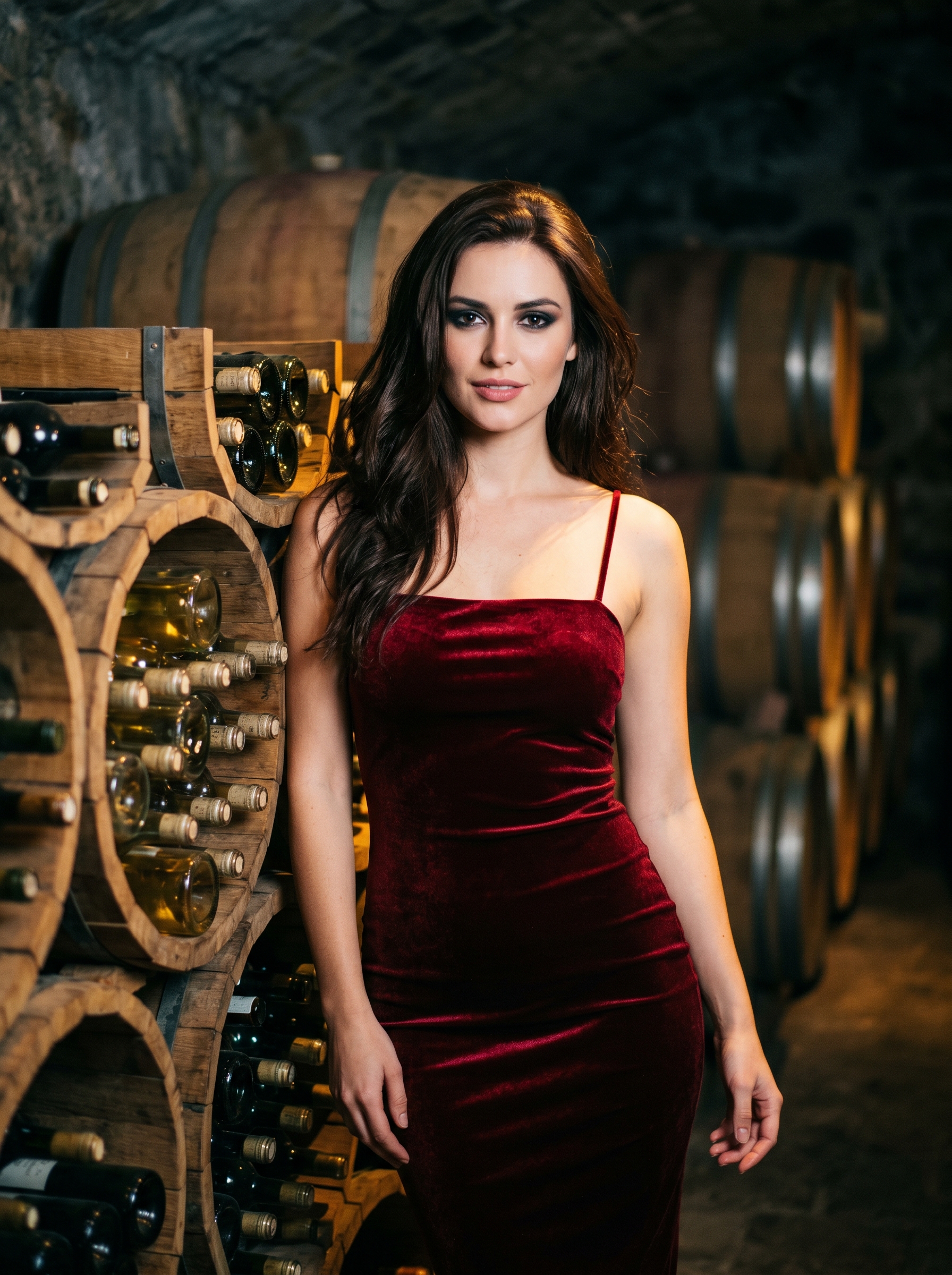
The platform offers multiple AI models to choose from, ranging from Nano Banana for quick iterations to Nano Banana 2 for higher-quality output. Picking the right model lets you balance speed against detail depending on your workflow.
Both text-to-image and image-to-image modes are included. The image-to-image mode supports two sub-modes: Single Edit for refining or restyling a single reference image, and Multi Fusion for blending multiple images into one result. Upload a reference photo, rough sketch, or character design and transform it into any of the 8 styles — useful for cosplayers, character designers, and illustrators restylizing existing artwork.
No sign-up required. Credits are available immediately on arrival. You can evaluate actual output quality before committing to anything. All output — free and paid — is commercial-use ready. The pricing page covers paid options for higher generation volume.
Try it free. No account needed.
2. Midjourney — Best for Artistic Quality
Midjourney produces some of the most visually striking images available, and its reputation in the art community is genuinely earned. If aesthetic ambition is your priority and you're comfortable in Discord, it remains a serious option.
Strengths:
- Painterly, artistic output with strong compositional instinct
- Consistent style coherence within a generation session
- Active community sharing techniques and inspiration
- Regularly updated models pushing image quality forward
Limitations:
All generation happens inside Discord — no standalone web app. Prompts are shared in public servers unless you pay for a higher tier. The workflow feels like a workaround rather than a purpose-built tool.
There's no free tier. Midjourney ended its trial in 2023. Minimum $10/month, and you won't see results until you enter a credit card.
Content policies are strict and inconsistently applied, which can result in unexpected rejections even for clearly non-explicit creative work.
Pricing: $10/month (Basic), $30/month (Standard), $60/month (Pro) Free plan: None Setup: Discord account required
3. DALL-E 3 — Best for Ease of Use
Integrated directly into ChatGPT, DALL-E 3 is the most frictionless entry point for users already in the OpenAI ecosystem. You describe an image in the same interface you use for text conversations and it appears. For existing ChatGPT users, the barrier is genuinely near zero.
What works:
- Seamless ChatGPT integration — nothing new to learn
- Strong accuracy following image descriptions
- Reliable for concept visualization and quick exploration
- Zero technical setup
What doesn't:
Style range is limited. DALL-E 3 doesn't have dedicated modes for anime, chibi, pixel art, or cyberpunk aesthetics. You can describe these in your prompt, but results are inconsistent compared to platforms with dedicated style models.
Cost is $20/month through ChatGPT Plus. That price point covers the full ChatGPT suite, but may feel steep if image generation is your primary use case.
Content policies are conservative. Many standard character prompts trigger safety filters that would generate without issue on specialized platforms.
No image-to-image functionality in the standard ChatGPT interface.
Pricing: Included with ChatGPT Plus at $20/month Free plan: Limited (older model) Setup: OpenAI account required
4. Stable Diffusion — Best for Technical Users
Stable Diffusion is the open-source foundation underlying much of the AI image generation ecosystem. If you have the technical background to run it, the creative ceiling is essentially unlimited — install any community model, write custom workflows in ComfyUI or AUTOMATIC1111, and run generation locally with no per-image cost.
Why technical users love it:
- Open-source and runs locally at no cost
- Massive ecosystem of fine-tuned models for every aesthetic
- No content restrictions when running locally
- Unlimited capacity once hardware is in place
- Full control over every parameter: sampler, CFG scale, seed, LoRA weights
The barrier:
Setup is prohibitive for casual users. Running it locally requires a dedicated GPU (8GB+ VRAM), Python environment configuration, and model downloads (2–7GB each). This is a genuine technical undertaking, not a weekend project.
Even after setup, producing high-quality character images consistently requires understanding negative prompts, embeddings, LoRA merges, and model-specific quirks. The learning curve is steep.
Pricing: Open-source (self-hosted) or $10+ via hosted services Free plan: Effectively yes, with your own hardware Setup: GPU, Python environment, significant technical knowledge
5. Leonardo.ai — Best for Model Variety
Leonardo.ai sits between a general-purpose image tool and a character-focused platform. Its community model system means hundreds of fine-tuned models are available, covering a wide range of aesthetics.
Where Leonardo shines:
- Large library of community-contributed models
- Decent no-cost option (150 tokens/day, roughly 15–20 images)
- Web-based, no local setup required
- Some anime and character-specific models with genuine quality
Where it falls short:
Inconsistent quality. Breadth is also a liability — with hundreds of community options, quality ranges from excellent to poor. Discovering which models work well requires significant trial and error.
Watermarks on the free plan. The 150 daily tokens come with Leonardo's watermark. This limits usefulness for anyone wanting to share or publish the outputs.
Interface complexity. The platform has grown into a sprawling toolset with multiple generation modes, a model browser, a prompt builder, and numerous settings panels — more friction than most creators need.
Pricing: Watermarked (150 tokens/day), $12/month (Apprentice), $30/month (Artisan) Free plan: Yes, with watermarks Setup: Account creation required
Quick Comparison
| Tool | Best For | Styles | Free Tier | Starting Price | Speed |
|---|---|---|---|---|---|
| GirlGenerator.app | Overall, beginners + creators | 8 curated styles | Yes, no sign-up | Complimentary credits | As fast as 10 seconds |
| Midjourney | Artistic quality | General (no presets) | None | $10/month | 30–60 seconds |
| DALL-E 3 | Ease of use | General (no presets) | Limited | $20/month | 15–30 seconds |
| Stable Diffusion | Technical users | Unlimited (DIY) | Yes (own hardware) | Free + GPU cost | Varies |
| Leonardo.ai | Model variety | Many community models | Yes (watermarked) | $12/month | 20–40 seconds |
Getting Better Results
The tool matters, but your prompt determines whether the output matches your creative vision. These techniques apply regardless of platform.
Lead with the most important details. Models weight the beginning of a prompt more heavily. State key character traits — "long silver hair," "white kimono," "golden eyes" — early rather than burying them at the end.
Specify style explicitly. Even with style presets, adding style language to your prompt reinforces the direction. "anime style, cel-shaded, clean linework" gives clearer direction than selecting the anime preset alone.
Describe lighting and mood. "Soft morning light, warm golden tones" produces a different result than "dramatic side lighting, deep shadows" — even with the same character description. Lighting is one of the fastest ways to elevate quality.
Use reference images when available. Image-to-image mode lets you upload a sketch, photo reference, or existing artwork and transform it into your target style.
Iterate, don't start over. Run a base prompt, identify what to change — expression, outfit color, hair style — and refine from there. The best results rarely come from a single generation. This applies whether you're using the best AI girl generator option here or any other tool on the list.
For tested prompts across all 8 styles, see 50+ AI girl prompt ideas. For a full walkthrough, the step-by-step creation guide covers everything in detail.
Frequently Asked Questions
Verdict
After comparing image quality, style range, speed, ease of use, and cost — GirlGenerator.app is the best AI girl generator for most users in 2026. No other tool combines eight purpose-built art styles, multiple AI models, fast results in seconds, image-to-image capability with Single Edit and Multi Fusion modes, and a no-cost entry point in one package. If you're looking for the best AI girl generator with no setup required, this is where to start.
Start generating. No sign-up required.